Quick answer: ASUS pushed a big Armoury Crate SE update alongside the ROG Xbox Ally X20, and older Ally models get a good chunk of it.
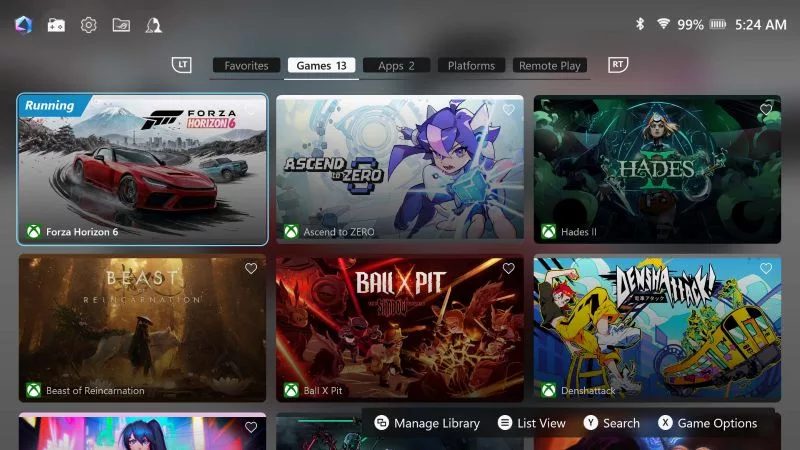
ASUS rolled out a new Armoury Crate SE update at the same time as the ROG Xbox Ally X20, and the nice part is it isn't just for the new hardware. ASUS calls it version 3, and it brings a cleaned-up interface with better scaling across the whole Ally family.
The button changes depend on which Ally you have. On the ROG Xbox Ally, Xbox Ally X and Xbox Ally X20, the Command Center, Library and Action buttons can now be remapped, with separate actions for a single press and a long press, or turned off completely. On the original ROG Ally and Ally X you get an "Xbox Experience" option instead, which lets you pick between the old button layout and the newer Xbox Ally one.
There's also a new Travel Mode that caps charging at 65W for planes, trains and other low-wattage outlets. ASUS says that one is for the ROG Xbox Ally models, and it turns on automatically in Airplane Mode. You can also save Command Center tweaks straight to a game's profile now, and there's a new Preview Updates tab if you want to try things like GPU drivers early.
The big one for me is Remote Play, which is in beta. It streams games from your gaming PC to your Ally through Armoury Crate, and ASUS lists it for the Ally, Ally X, Xbox Ally and Xbox Ally X.